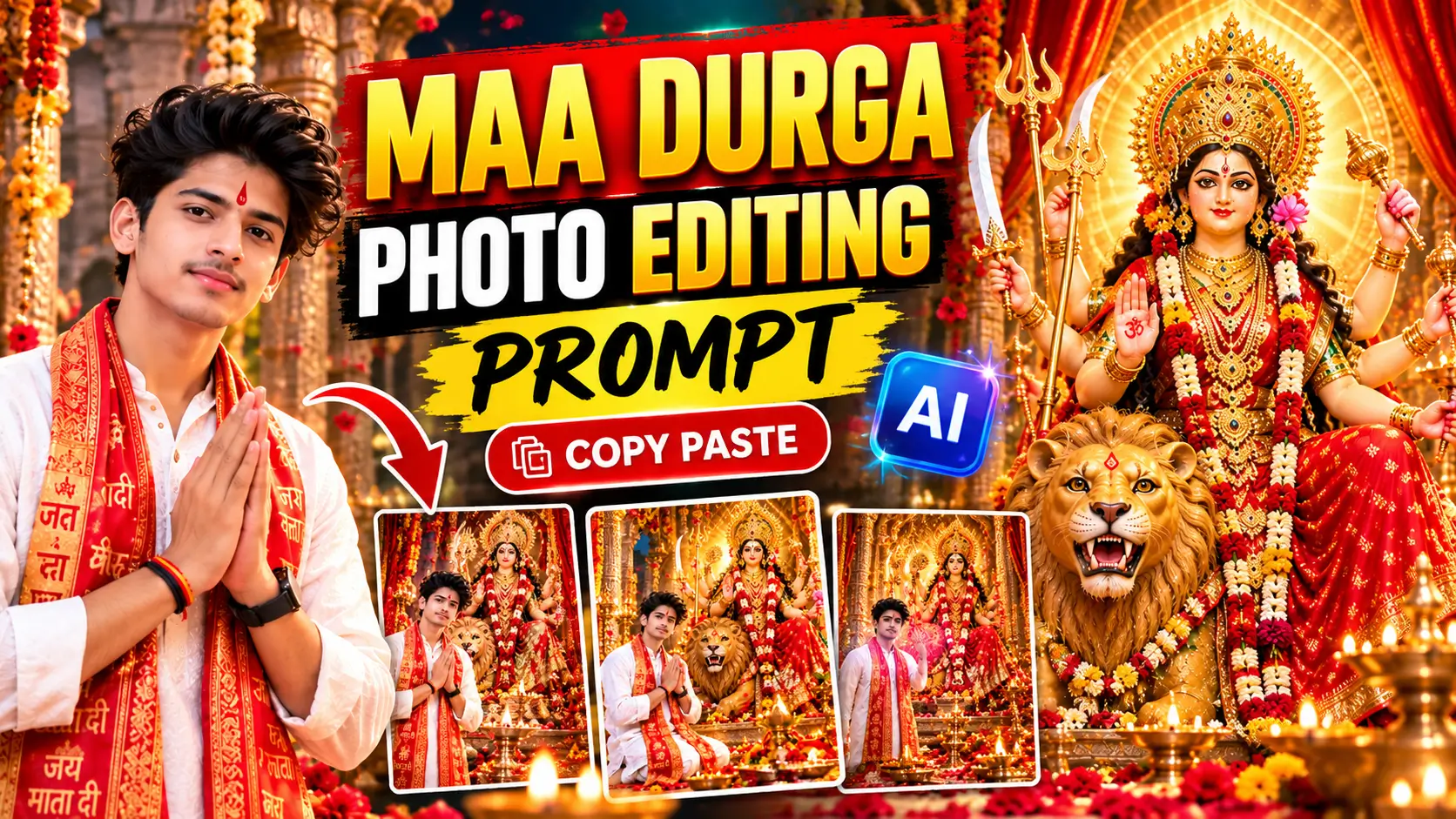
क्या आप अपनी फोटो को माँ दुर्गा के साथ एक सुंदर, भक्तिमय और आकर्षक तस्वीर में बदलना चाहते हैं? अगर हाँ, तो इस ब्लॉग पोस्ट में आपको Maa Durga Photo Editing Prompt, Durga Maa AI Photo Prompt और Navratri Special Photo Editing Prompt मिलेंगे। इन प्रॉम्प्ट की मदद से आप AI इमेज जनरेशन टूल में अपनी फोटो का इस्तेमाल करके शानदार धार्मिक पोस्टर और फोटो बना सकते हैं।
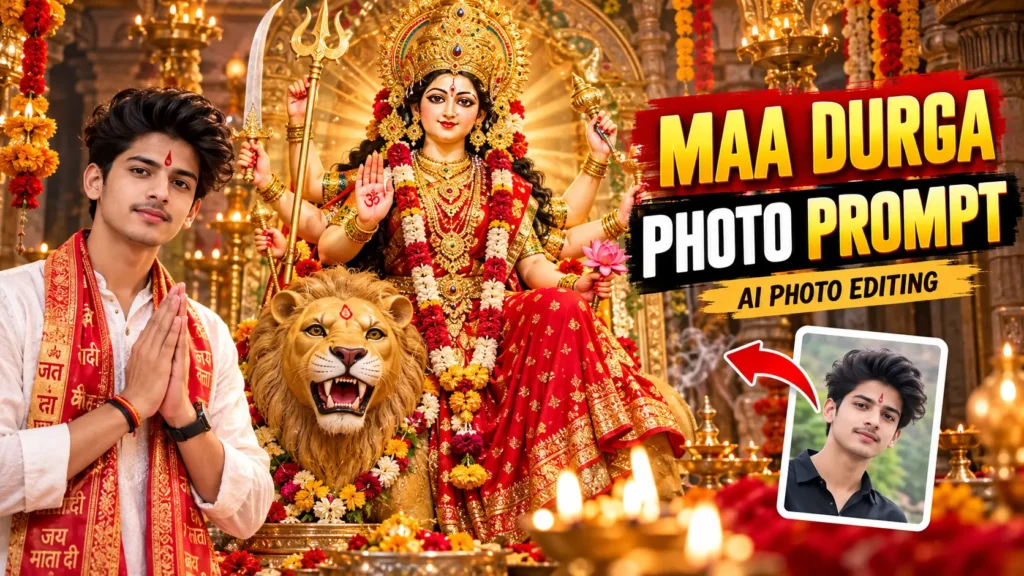
आपको बस अपनी फोटो अपलोड करनी है, नीचे दिए गए प्रॉम्प्ट को कॉपी करना है और अपने AI टूल में पेस्ट करना है।
Maa Durga Photo Editing Prompt क्या है?
Maa Durga Photo Editing Prompt एक ऐसा टेक्स्ट निर्देश है, जिसकी मदद से AI टूल आपकी फोटो को माँ दुर्गा की मूर्ति, भव्य मंदिर, दिव्य रोशनी और नवरात्रि जैसे धार्मिक दृश्यों के साथ तैयार कर सकता है।
आप इन प्रॉम्प्ट का इस्तेमाल अपने Instagram Reels, Facebook पोस्ट, WhatsApp Status और त्योहारों के पोस्टर के लिए कर सकते हैं।
1. Maa Durga Photo Editing Prompt – Realistic Temple Look
यह प्रॉम्प्ट उन लोगों के लिए है जो अपनी फोटो को माँ दुर्गा के भव्य मंदिर के सामने दिखाना चाहते हैं।
Copy Prompt:
Use my uploaded photo as the main subject. Preserve my real face, identity, natural skin tone, hairstyle, facial features, and expression as accurately as possible. Create an ultra-realistic 4K devotional portrait of me standing respectfully in front of a magnificent Maa Durga temple. Show Maa Durga seated majestically on a lion, wearing a beautiful red saree, traditional gold jewelry, and an ornate golden crown. Add warm golden temple lighting, glowing diyas, marigold flowers, subtle incense smoke, intricate temple architecture, and a peaceful spiritual atmosphere. Keep my face natural and recognizable. Professional DSLR photography, realistic skin texture, cinematic lighting, detailed background, premium festive poster design, vertical 4:5 composition. No distorted face, no extra fingers, no blurry details, no text, no watermark.
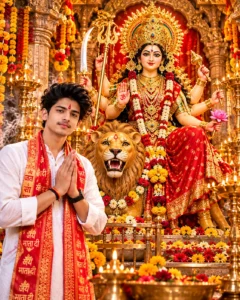
2. Durga Maa Photo Prompt – Navratri Special
अगर आप नवरात्रि के अवसर पर अपनी फोटो का शानदार पोस्टर बनाना चाहते हैं, तो इस प्रॉम्प्ट का इस्तेमाल करें।
Copy Prompt:
Use my uploaded photo as the reference for the main person. Maintain my facial identity and natural appearance. Create a beautiful Navratri devotional poster featuring me standing respectfully beside a grand and artistically detailed idol of Maa Durga. Maa Durga should wear a vibrant red and golden saree, traditional ornaments, and a radiant crown, with a lion beside her. Add glowing diyas, red and golden festive decorations, fresh flowers, warm divine light rays, and a magnificent temple background. Ultra-realistic photography, premium Indian festival aesthetic, natural skin texture, balanced composition, 4K details, vertical 4:5 format. Keep the face realistic and recognizable. No facial distortion, no extra limbs, no watermark.
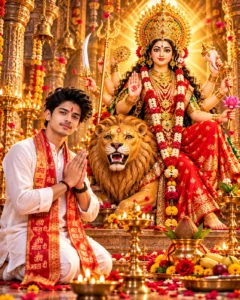
3. Maa Durga Ke Saath Photo Editing Prompt – Blessings Look
इस प्रॉम्प्ट से आप एक ऐसी तस्वीर बनाने की कोशिश कर सकते हैं जिसमें माँ दुर्गा की दिव्य उपस्थिति और आशीर्वाद का भाव दिखाई दे।
Copy Prompt:
Use my uploaded portrait as the main subject and preserve my real facial identity. Create a peaceful and devotional scene in which I stand respectfully with folded hands before Maa Durga. Show Maa Durga in a majestic traditional form, seated on a lion, wearing a red saree and golden ornaments. Add a soft golden halo, glowing diyas, delicate flower petals, temple bells, and a beautiful sacred temple environment. Use realistic photography, natural facial details, soft cinematic lighting, rich but balanced colors, and a serene spiritual atmosphere. Vertical portrait composition, high-resolution 4K quality. Do not alter my identity or add any text or watermark.
4. Maa Durga Photo Editing Prompt – Cinematic Poster
अगर आप अपनी फोटो को एक प्रीमियम और सिनेमैटिक धार्मिक पोस्टर का लुक देना चाहते हैं, तो यह प्रॉम्प्ट ट्राई करें।
Copy Prompt:
Use my uploaded photo as the primary subject. Preserve my face, facial structure, hairstyle, skin tone, and identity. Design a premium cinematic devotional poster featuring me standing in a grand Durga temple with a magnificent Maa Durga idol in the background. Use dramatic red and golden lighting, intricate gold temple carvings, glowing diyas, floating flower petals, a majestic lion, and a radiant spiritual atmosphere. Make the image photorealistic with professional DSLR quality, realistic skin texture, cinematic depth of field, sharp facial details, balanced highlights, and elegant Indian devotional aesthetics. Vertical 4:5 composition, high-resolution output. No face replacement, no distorted hands, no extra fingers, no watermark.
5. Durga Maa Photo Prompt – Traditional Indian Look
यह प्रॉम्प्ट पारंपरिक भारतीय पोशाक और मंदिर की सुंदरता के साथ एक धार्मिक फोटो बनाने के लिए उपयोगी है।
Copy Prompt:
Use my uploaded photo as a face reference. Preserve my real identity, natural face, hairstyle, and skin tone. Create an elegant traditional Indian devotional portrait of me wearing tasteful ethnic clothing and standing respectfully in a beautifully decorated Maa Durga temple. Show a magnificent Maa Durga idol in a red saree, gold jewelry, and an ornate crown in the background. Include marigold garlands, glowing oil lamps, traditional temple pillars, and warm golden lighting. Photorealistic image, authentic Indian festive atmosphere, natural facial details, realistic fabric texture, professional portrait photography, vertical 4:5 composition. Avoid artificial skin, facial distortion, extra limbs, and watermarks.
6. Maa Durga Photo Prompt – Facebook और Instagram पोस्टर
अगर आप अपनी फोटो को Facebook पोस्ट या Instagram पर शेयर करना चाहते हैं, तो इस प्रॉम्प्ट से शुरुआत कर सकते हैं।
Copy Prompt:
Create a premium devotional social media poster using my uploaded photo as the main subject. Preserve my real facial identity and natural appearance. Place me respectfully in front of a beautiful Maa Durga idol surrounded by red flowers, golden decorations, glowing diyas, and a grand temple background. Use a rich red and golden color palette, soft divine lighting, realistic photography, clean composition, and detailed textures. Leave some clean space at the top for adding a devotional greeting later. Portrait 4:5 format, high resolution, suitable for Facebook and Instagram. Do not generate random text, logos, or watermarks.
नोट: अगर आप पोस्टर पर “जय माता दी” या “शुभ नवरात्रि” लिखना चाहते हैं, तो AI से टेक्स्ट बनवाने के बजाय बाद में Canva में खुद जोड़ सकते हैं। इससे वर्तनी की गलतियाँ कम होंगी।
Maa Durga AI Photo Kaise Banaye?
अब इन प्रॉम्प्ट की मदद से अपनी फोटो तैयार करने के लिए नीचे दिए गए स्टेप्स फॉलो करें।
- अपने मोबाइल में ChatGPT या किसी ऐसे AI इमेज टूल को खोलें जो फोटो अपलोड और इमेज जनरेशन सपोर्ट करता हो।
- अपनी साफ और अच्छी क्वालिटी वाली फोटो अपलोड करें।
- ऊपर दिए गए प्रॉम्प्ट में से अपनी पसंद का प्रॉम्प्ट कॉपी करके पेस्ट करें।
- यदि जरूरी हो, तो इमेज का अनुपात 4:5 या 9:16 चुनें।
- Generate या Create विकल्प पर टैप करें।
- तैयार इमेज को ध्यान से देखें। अगर चेहरा या हाथ गलत बनें, तो सुधार के लिए नया निर्देश दें।
- अंतिम इमेज सेव करें और जरूरत के अनुसार Canva में पोस्टर टेक्स्ट जोड़ें।
ध्यान दें कि हर AI टूल में एक जैसे फीचर उपलब्ध नहीं होते। कुछ टूल आपकी फोटो का चेहरा पूरी तरह सुरक्षित नहीं रख पाते, इसलिए परिणाम को जाँचकर ही इस्तेमाल करें।
अच्छी Maa Durga Photo बनाने के लिए टिप्स
- साफ रोशनी वाली अपनी फोटो चुनें।
- चेहरा स्पष्ट दिखाई देने वाली फोटो अपलोड करें।
- अगर चेहरा आपकी पहचान से अलग बनता है, तो प्रॉम्प्ट में facial identity preservation पर जोर दें।
- बहुत अधिक इफेक्ट लगाने के बजाय प्राकृतिक और भक्तिमय लुक चुनें।
- सोशल मीडिया पर शेयर करने से पहले इमेज में मौजूद गलतियों को जाँचें।
- किसी दूसरे व्यक्ति की फोटो इस्तेमाल करने से पहले उसकी अनुमति लें।
FAQs – Maa Durga Photo Editing Prompt
1. Maa Durga Photo Editing Prompt कहाँ इस्तेमाल कर सकते हैं?
आप इन प्रॉम्प्ट को ऐसे AI इमेज टूल में इस्तेमाल कर सकते हैं जो फोटो अपलोड करके नई इमेज बनाने की सुविधा देता है।
2. क्या मोबाइल से Durga Maa AI Photo बना सकते हैं?
हाँ। आप Android मोबाइल पर समर्थित AI इमेज ऐप या वेबसाइट का इस्तेमाल करके अपनी फोटो तैयार कर सकते हैं।
3. क्या इन प्रॉम्प्ट से मेरा चेहरा वैसा ही रहेगा?
प्रॉम्प्ट में चेहरे और पहचान को सुरक्षित रखने का निर्देश दिया गया है, लेकिन AI टूल हमेशा 100% समानता की गारंटी नहीं देते।
4. Facebook पोस्ट के लिए कौन-सा फोटो साइज चुनें?
4:5 पोर्ट्रेट अनुपात एक अच्छा विकल्प है। यदि आप Facebook Story या Instagram Reel कवर बनाना चाहते हैं, तो 9:16 अनुपात चुन सकते हैं।
5. क्या इन प्रॉम्प्ट का इस्तेमाल फ्री में कर सकते हैं?
प्रॉम्प्ट को कॉपी करने के लिए किसी विशेष भुगतान की जरूरत नहीं है। हालांकि, इस्तेमाल किए जाने वाले AI टूल की मुफ्त जनरेशन सीमा और पेड फीचर अलग-अलग हो सकते हैं।
निष्कर्ष
अगर आप Maa Durga Photo Editing Prompt या Durga Maa AI Photo Prompt ढूँढ रहे हैं, तो ऊपर दिए गए प्रॉम्प्ट की मदद से आप अपनी फोटो के कई सुंदर और भक्तिमय रूप तैयार करने की कोशिश कर सकते हैं। अपनी पसंद का प्रॉम्प्ट चुनें, फोटो अपलोड करें और परिणाम को जाँचने के बाद सोशल मीडिया पर शेयर करें।
ऐसे ही AI Photo Editing Prompts, मोबाइल टिप्स और उपयोगी डिजिटल गाइड के लिए AK Online Support पर विजिट करते रहें।